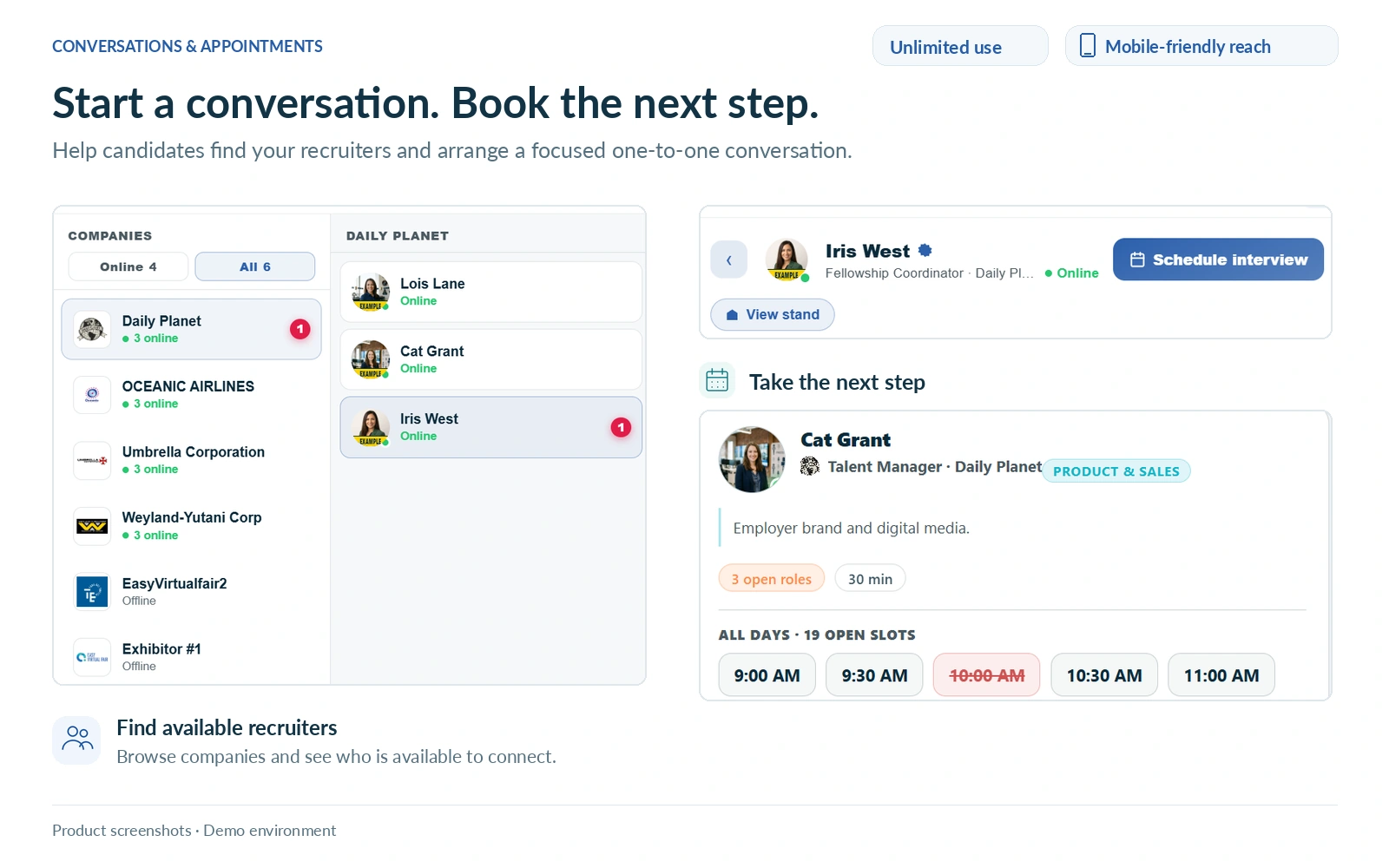
A virtual hiring event platform should help recruiters leave with a follow-up list, not just a registration count. Give candidates a place to meet the right hiring team and book a conversation.
Recruiter workspace · Conversations and appointments
Planning guide
Build the event around the roles you need to fill.
Before the event
Assign roles and recruiters
For a single-employer hiring day, give each department its own booth. In a multi-employer event, let each organization introduce its team and list openings. Ask recruiters to set availability before you invite candidates.
During the event
Move from a job to an interview
Candidates can explore openings before starting a chat or joining a video conversation. Run a live hiring-team Q&A for shared questions and reserve interview slots for individual conversations.
After the event
Give recruiters a useful handoff
Review booth traffic, conversations and participation. Agree on who follows up and when. For an ongoing series, use attendance and engagement to decide which employers or departments to invite back.
One hiring day or a repeatable series?
An employer can host a focused interview day for a single hiring team. A university can connect students with several departments or employers. A workforce board can run a regional series. For recurring events, ask about annual licensing, guided onboarding and training for new recruiters.
What should a virtual hiring event platform show you in a demo?
Bring one open role, a recruiter schedule and the report your hiring team needs. Ask us to walk through the candidate’s first message, a scheduled video interview and the organizer’s follow-up view.
Connecting communities across education, business and workforce development.
Organizer questions
Before you decide
How is a hiring event different from a job fair?
A job fair usually helps visitors discover several employers. A hiring event can focus on one employer, a specific role or a round of interviews. Start with the decision you want recruiters to make at the end of the day.
Can we work with our ATS?
Tell us which applicant tracking system you use and which fields your team needs. During a demo we can review the path from a job listing to your application page, reporting exports and any integration work. Do not assume a native connector is included.
How long does setup take, and what about accessibility?
Timing depends on the number of booths, content owners and interview schedules. Ask for a walkthrough with your accessibility lead to review participant navigation and the accessible experience. We can map onboarding tasks and dates around your event.
What does a hiring event cost?
Request a quote for a single event, an event series or an annual license. Include your audience, dates and support needs if you know them; an email address is enough to start.